Arkio 2.1 - Navisworks, fly mode and more!
Arkio 2.1 builds on our recent 2.0 release, enhancing Arkio further for design ideation, presentations, and reviews. This update brings key performance improvements, new integrations, and usability upgrades across all platforms.

New Navisworks plugin
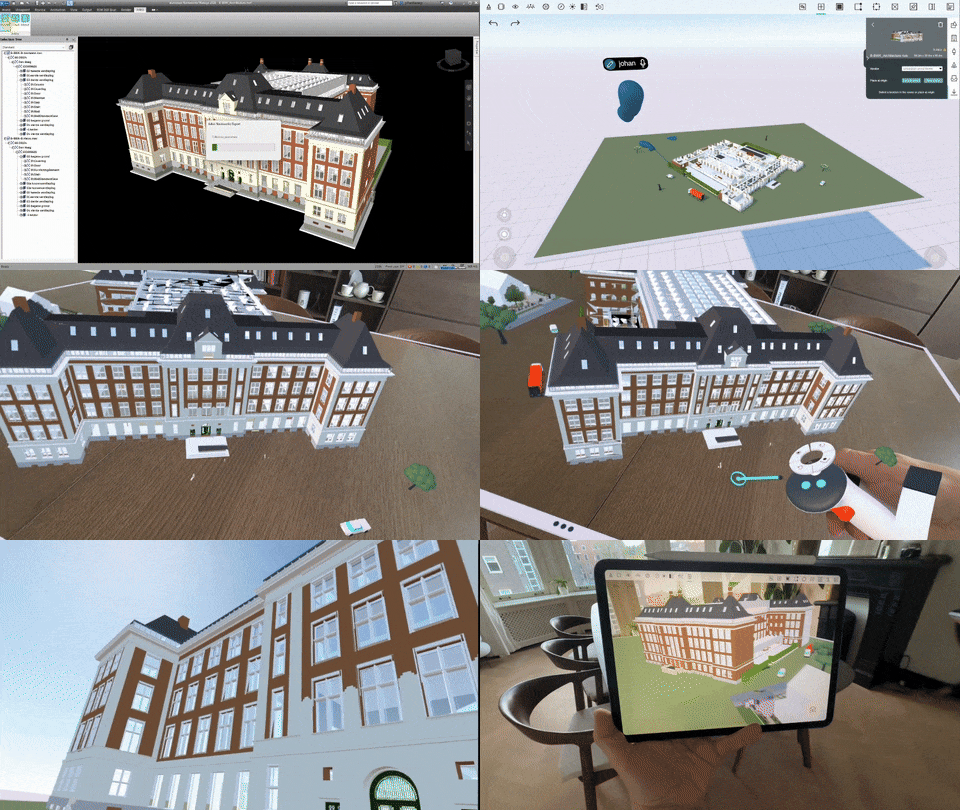
We’ve added a new plugin for Navisworks. Enterprise users can now easily export Navisworks projects directly to Arkio. Models from Navisworks, like those from our other plugins, include north rotation, BIM data, and layer data that can be controlled directly in your Arkio scene.
New VR flight mode
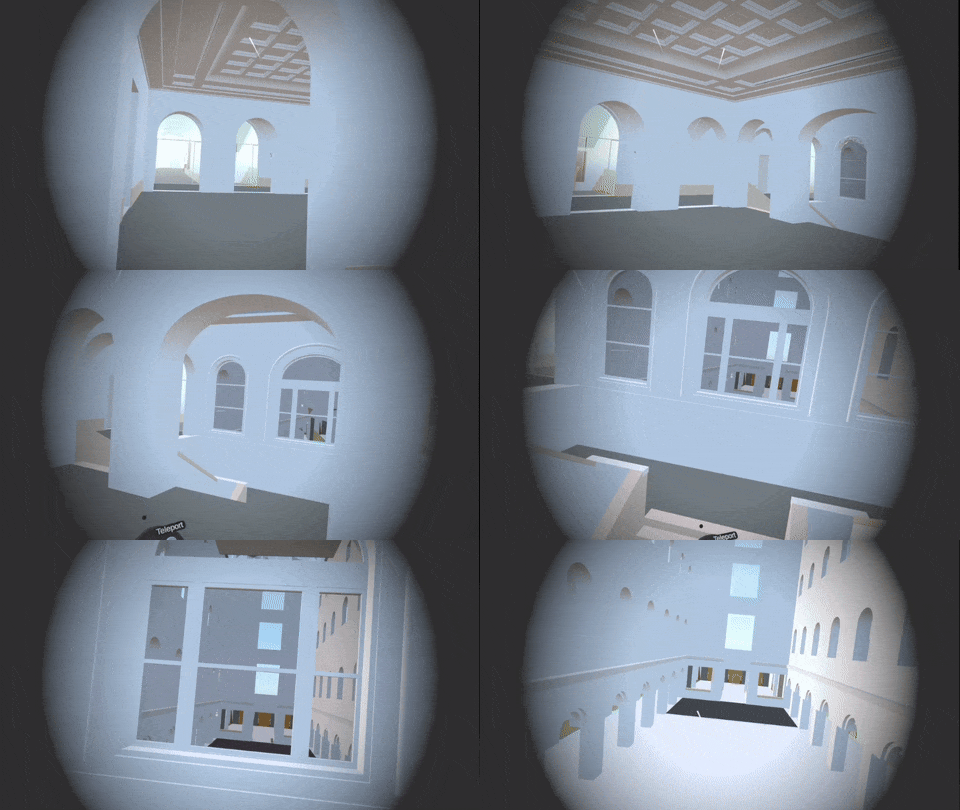
For VR users who want to explore their designs more freely, Arkio now includes a fly navigation mode. Press the thumbstick forward or backward on your non-dominant hand to fly through your scene on VR and Mixed Reality headsets—an immersive alternative to traditional teleporting and panning.
SketchUp plugin improvements
The SketchUp plugin has received a significant performance boost, enabling exports of large models up to ten times faster. We’ve also improved tag export to layers and added support for texture cutouts, commonly used for vegetation and detailed model elements in SketchUp.
Sun tool on all devices
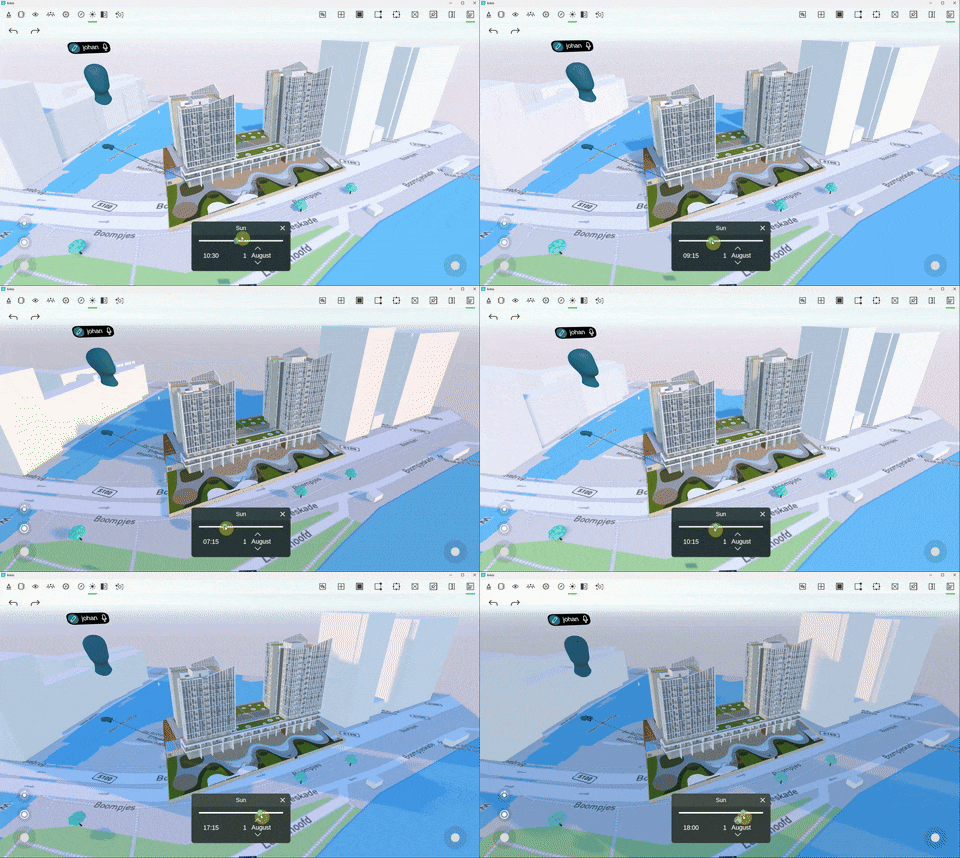
The familiar Sun tool, previously available only in VR, is now also accessible on PC, Mac, iOS and Android. Adjust time, day, and month to simulate accurate lighting and shadows for your project location.
Cloud upload enhancements
The Arkio Cloud page now supports drag-and-drop uploads, making it easier than ever to share images and 3D files across all your connected devices.
Layer visibility controls
From the review panel’s Layers tab, you can now control the visibility of sketches, notes, and frames in your Arkio scene. Any visibility changes are synchronized in real time for all participants in a shared meeting.
AI camera enhancements
Arkio’s AI camera has been refined for better usability, making it easier to switch between standard photos and AI-enhanced renderings. Download Arkio on your preferred device and start a free 14-day Arkio Pro trial to give AI renderings a try today!
Additional improvements
This release also includes various other updates, such as:
- Microphone highlights for voice transcriptions
- Improved rendering quality on Meta Quest
- Updated program area imports
- Improved model import reliability
- General bug fixes and performance enhancements
And there’s more…
Arkio 2.1 adds many other improvements, check out the full 2.1 release notes here. We’d love to hear from you in the forums if you have any feedback on the new features and improvements in 2.1!